
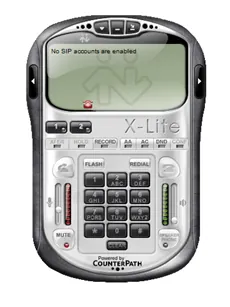
A manual dialer is a normal dialer used by sales executives to call numbers from their list of customers. With a manual dialer, the agent dials each number manually, one after the other, and the manager gets a detailed report of every call along with the recordings.
What makes CloudShope a better choice for a manual dialer system?
When it comes to a manual dialer call center service, Cloudshope Technologies Pvt. Ltd. stands out from the crowd. It is an easy-to-use solution that call centers can count on for a dependable manual dialer system, and our auto dialer software with a manual dialer system is a trusted choice for call centers that need manual dialing.
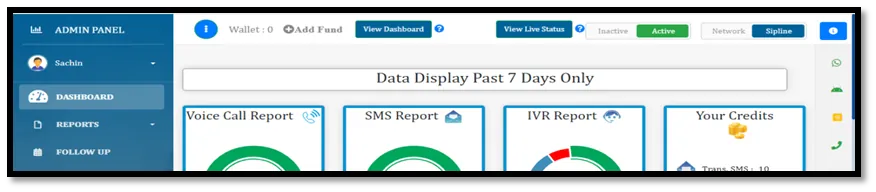
Cloudshope Technologies Pvt. Ltd. also helps increase the accuracy of manual dialing. Agents can manage their workflow and make manual calls faster. CloudShope provides a manual dialer system with different calling modes: agents can switch between the ‘Network’ and ‘Sipline’ options from their agent panel.
Cloudshope Technologies Pvt. Ltd. provides two options for manual dialing: from a mobile phone or from a desktop. Agents need to install the software, and an Android application is available for the manual dialer system. Generally, a manual dialer is used to make outbound calls manually, where a sales representative analyses a lot of data before dialing a lead, prospect or client. Power dialing, on the other hand, is used when agents need to work through a larger database in less time.
You can also use a manual dialer system if your company phone system is conservative and integrations with third-party software are difficult. Call center admins or managers can still use manual dialing and get a complete report, along with the recording of every call their agents make.
A manual dialer is preferred by outbound sales representatives and operations executives when call quality matters more than volume. If your data is good and there are many processing stages, you can connect your phone system to a CRM and use a simple click-to-call feature, where agents click on the customer’s name to make the call. CloudShope provides APIs so you can integrate with the software or system you need.
What advantages can a manual dialer offer?
With a manual dialer system, the sales executive dials the number they want to connect to, and after every call they can enter contact data such as the customer’s name, related comments, the call’s outcome, and an appointment confirmation if required.
What are the key features of a manual dialer?
Manual dialers provide various key features. Let’s have a look at some of them:
- Agents can enter a customer number in the application, select the caller ID from the device, and start the call.
- Agents can call freely from their own mobile phone using the outbound call feature, and can schedule a reminder call for a webinar or meeting.
- Without uploading any file or needing a call plan, the manual dialer lets an agent handle a list of contacts — no piece of paper on the desk to maintain a database.
- Management can choose which agent groups are allowed to enter phone numbers manually by configuring the manual dialer for agent groups.
Here’s how a manual dialer works
Nowadays a manual dialer call center service is one of the most useful tools for sales representatives to connect with their leads without interruption. Here is how it works:
- User interface — The manual dialer provides an interface where agents enter the phone number they want to dial. This can be a software application, a web-based tool, or even a physical device.
- Number entry — The agent enters the phone number into the dialer, either by typing it or by selecting it from a contact list or CRM system.
- Call initiation — Once the number is entered, the agent starts the call by clicking a dial button or a similar command. The system then sends the call request to the telephony infrastructure to establish the connection.
- Call handling — Once the call is connected, the agent talks to the customer or prospect and addresses the purpose of the call, such as sales, customer support, or information gathering.
Try it free
CloudShope offers a 7-day free trial so you can use the manual dialer service before investing.
Want this running on your numbers?
Start with a free trial — no card, and every service on one account.